



About the Project
1FLEET is a vital tool for modern airlines and aircraft operators aiming to achieve operational excellence, cost efficiency, and the highest standards of safety and reliability in their fleet management practices.
Our team was brought in to optimize a few key areas in the software for a sleek and intuitive UI using modern design practices and techniques.
My Role
-
Role: Interaction Designer
-
Type: Desktop, Mobile App
-
Project Name: 1Fleet
-
Software: Sketch, Jira, Invision, Salesforce, Figma
-
Date: Feb 2021 - Mar 2022
Getting Started
We held several meetings with stakeholders to get a better understanding of GE’s day-to-day operations and overall goals. The process of building and maintaining GE aircraft engines is complex, ranging from assembly and part replacement to transit and ongoing maintenance.
The Lifecycle of an Engine
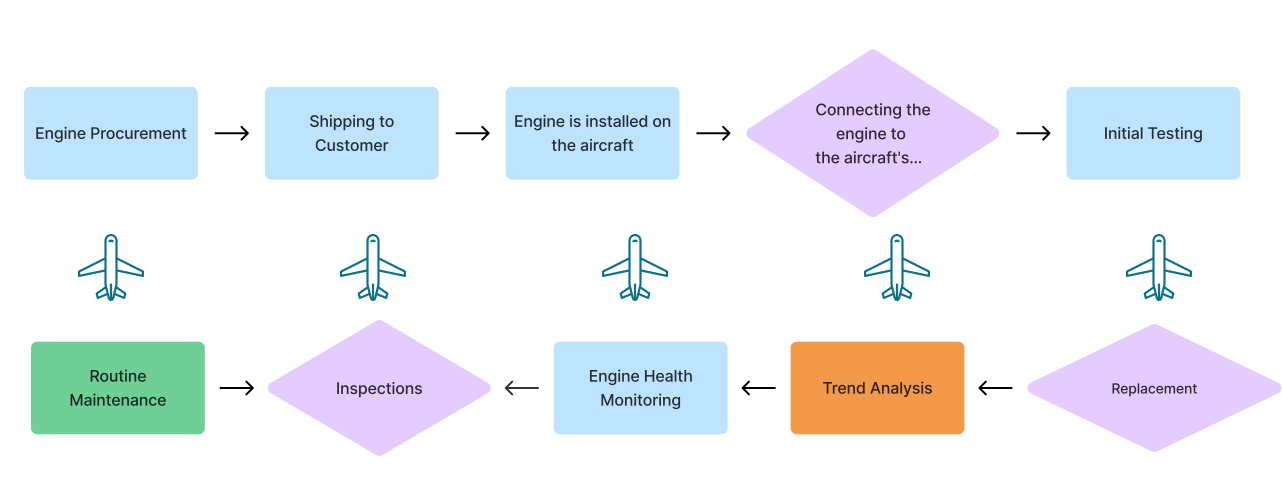
We needed to understand visually what the lifecycle of an engine actually looked like. Where did it go and where are all the different moving parts circulating.
Information Architecture:
To address the complexity of tracking an engine part through its full lifecycle in GE’s 1Fleet software, we created a detailed information architecture. This helped map out how data moved across the system and how various users accessed it at different stages—manufacturing, maintenance, inspection, and beyond.
The architecture revealed critical pain points, such as fragmented navigation and difficulty finding part histories. It played a key role in aligning user needs with business processes, guiding clearer user flows and simplifying the overall experience. This foundation directly informed our UX strategy and wireframe design decisions.

User Journey Maps
Our UX Team conducted in-depth interviews with several associates to gain a comprehensive understanding of their daily tasks and interactions with the 1Fleet software. These sessions were designed to capture the nuances of their workflows, identify pain points, and uncover opportunities for enhancing user experience.
User Personas
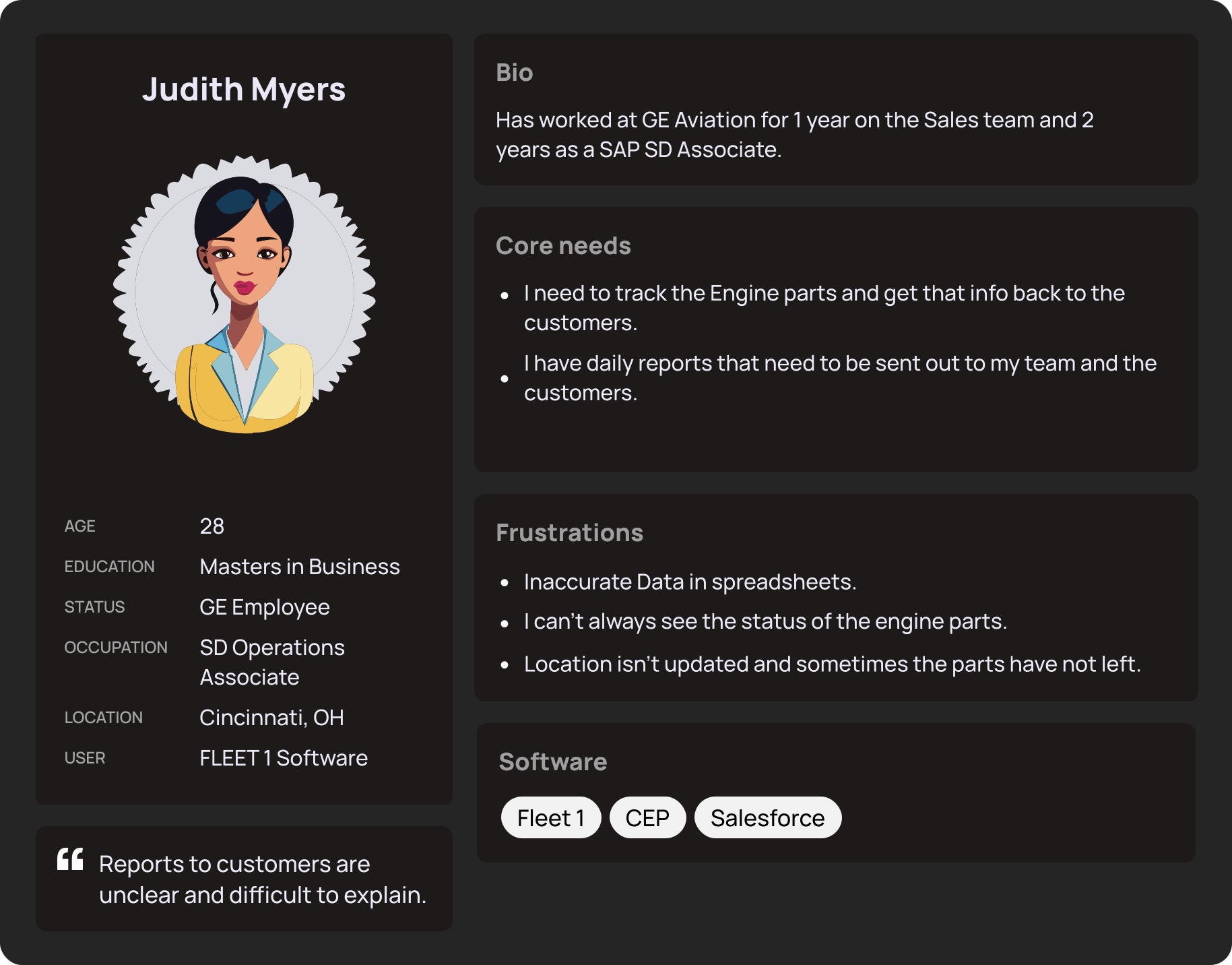
We found the GE Employees that use the software the most in their day to day.
We would meet with one of the team leads to define clear problem statements to address in the design process.

Key Interview Questions

Pain Points
Usability Testing


I started annotating the new screens with anything that was either confusing or wasn't intuitive to the users.
Overall, the designs met a lot of the goals and included all the requirements and suggestions from the stakeholders. However, there were still components that didn't seem to simplify the process as much as intended.
Final Designs

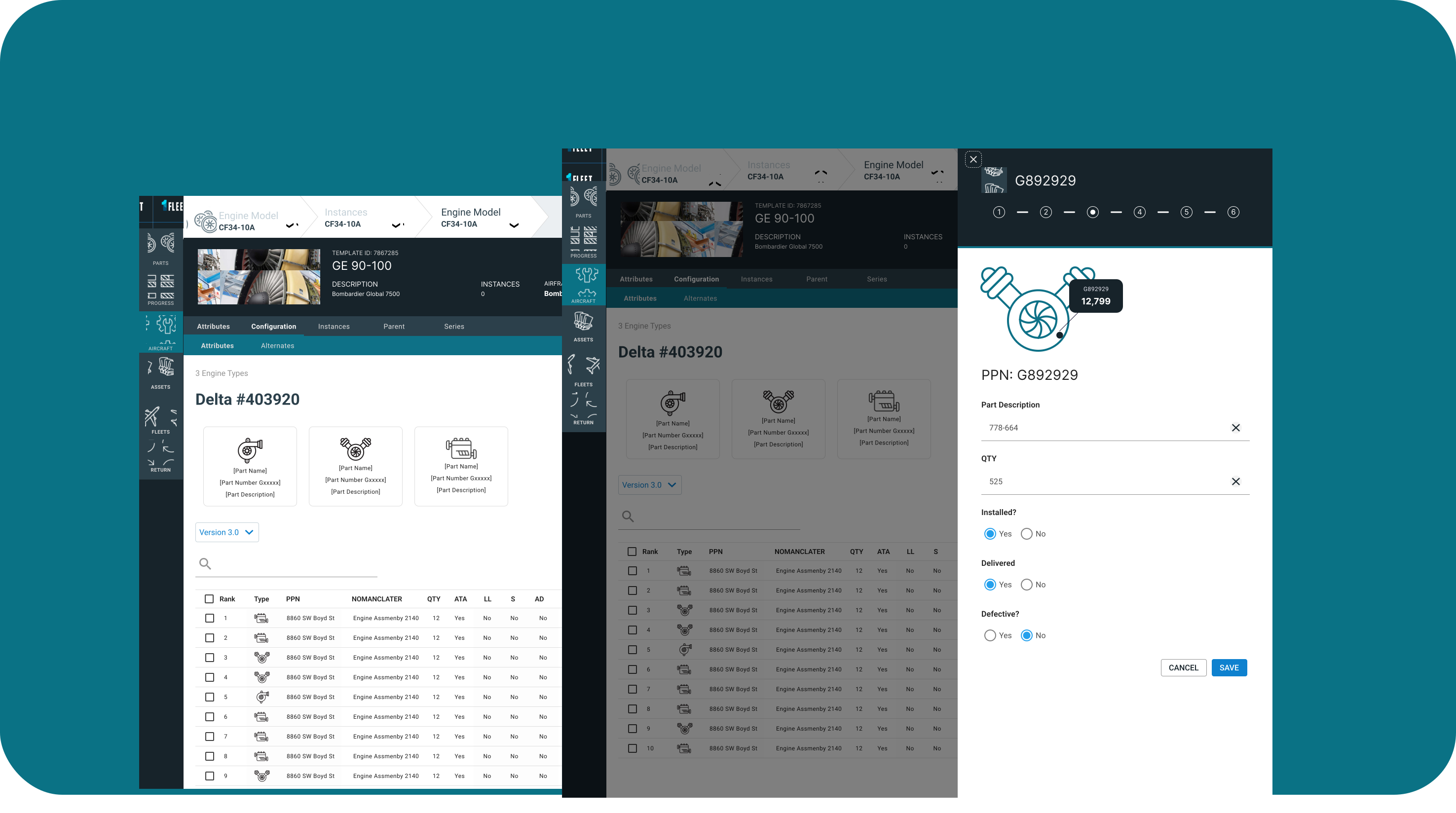
PPN Details Side Panel:
To address the complexity of tracking an engine part through its full lifecycle in GE’s 1Fleet software, we created a detailed information architecture. This helped map out how data moved across the system and how various users accessed it at different stages—manufacturing, maintenance, inspection, and beyond.
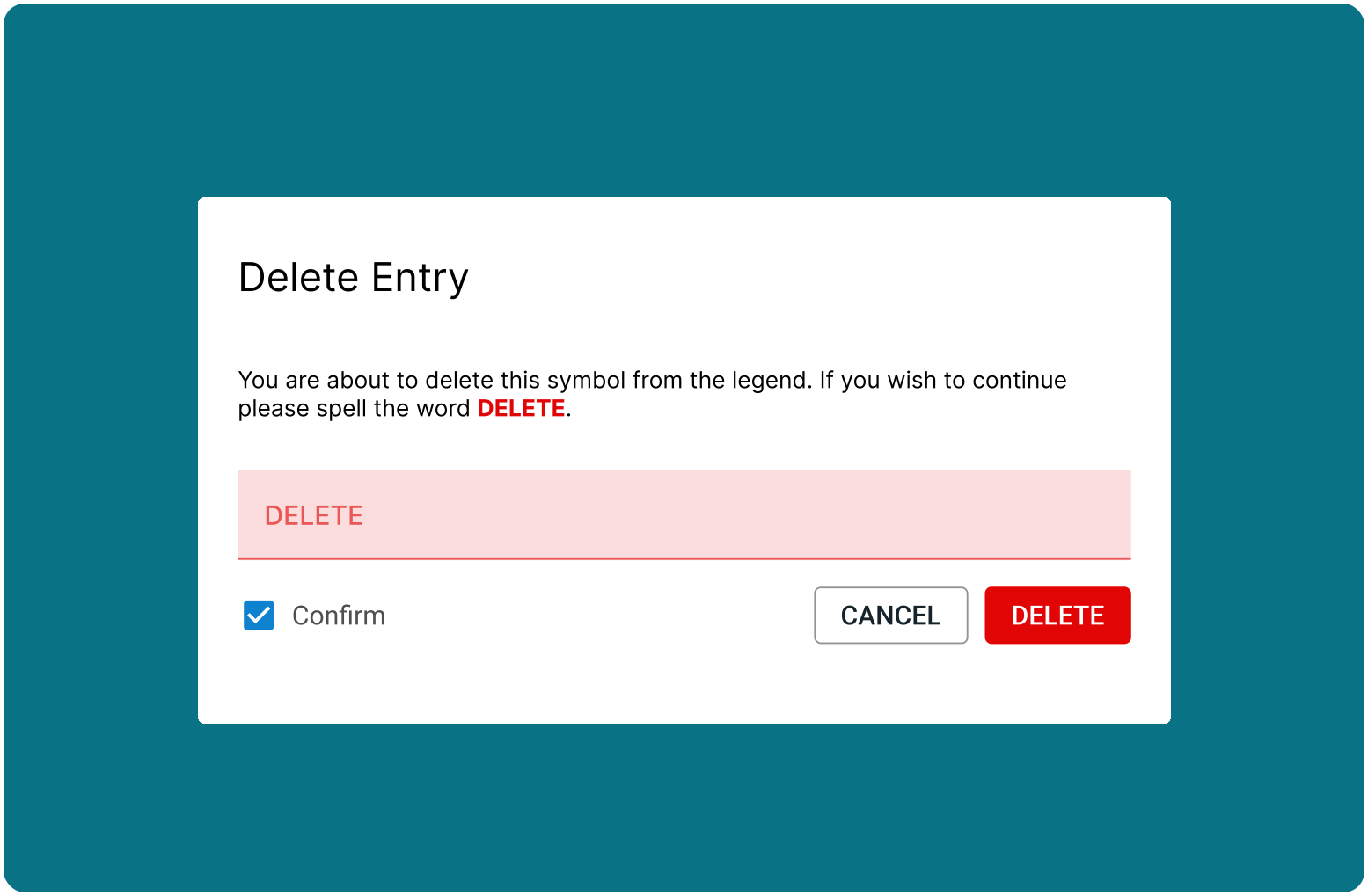
Delete Entry:
The architecture revealed critical pain points, such as fragmented navigation and difficulty finding part histories. It played a key role in aligning user needs with business processes, guiding clearer user flows and simplifying the overall experience. This foundation directly informed our UX strategy and wireframe design decisions.
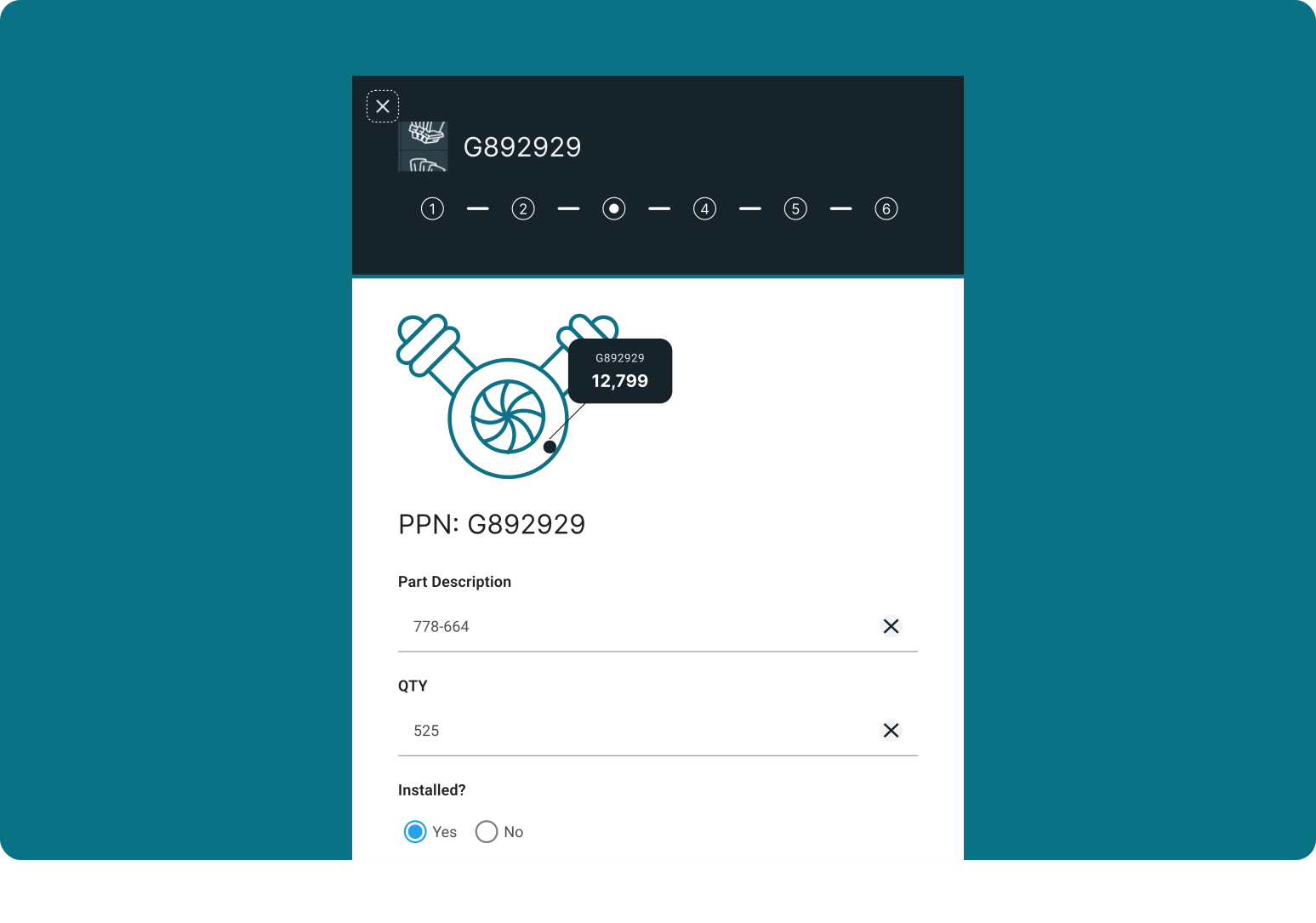
Aircraft Engine Part Location:
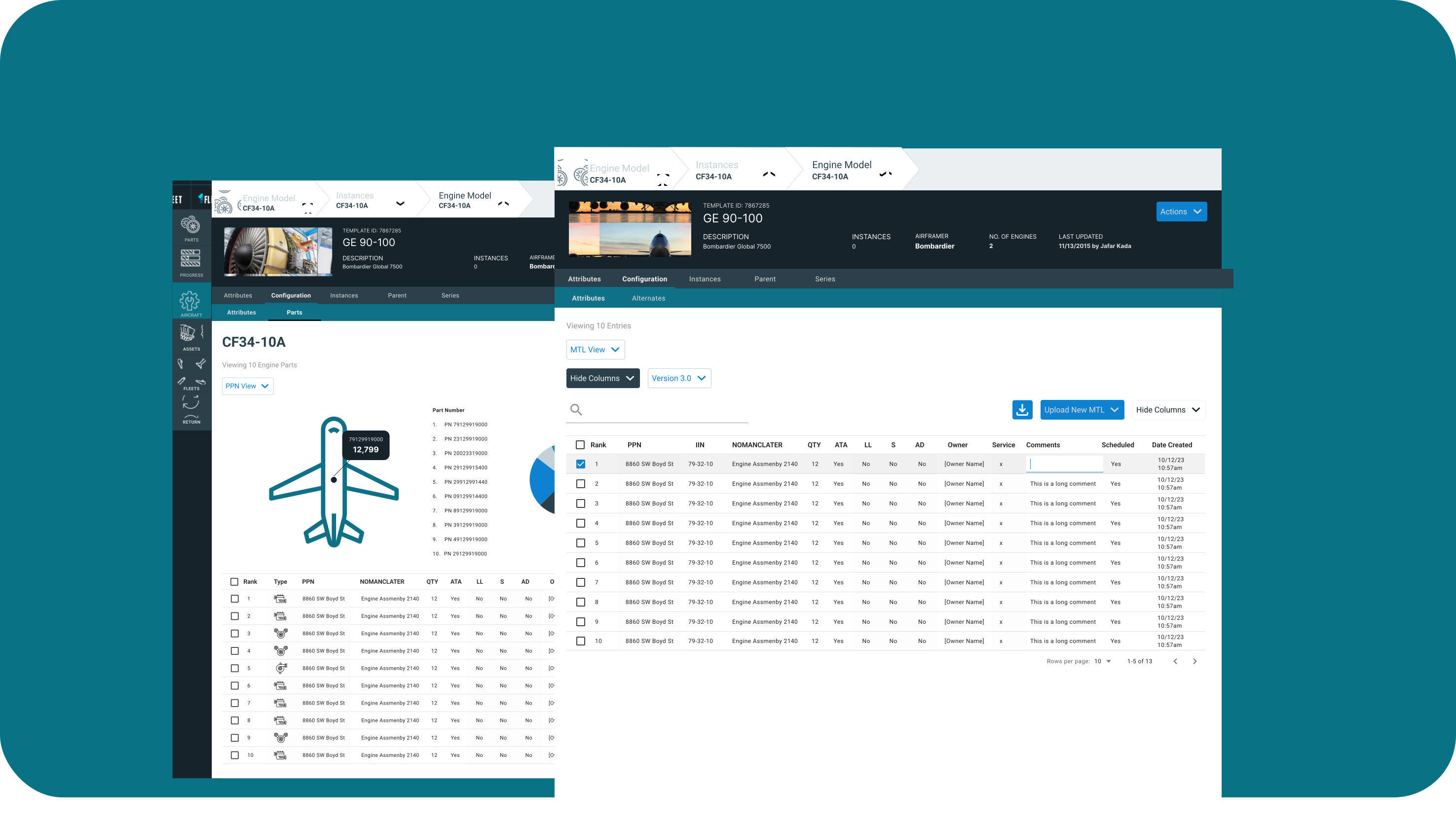
Added visual icon for locating the Engine part along with the PPN, amount and quantity. Each detailed Part is can be sorted through the table below. Highlighting each area on the diagram on hover.
Conclusion